How It Works
The architecture behind Airlock.
Airlock has four components that work together: the CLI, the daemon, gate repos, and the desktop app.
Architecture Overview
What airlock init Does
When you run airlock init in a repository:
- Your current
originremote is renamed tobypass-airlock - A new gate repository is created locally (a bare Git repo managed by Airlock)
originis set to point at this gate repo- A default workflow file is created at
.airlock/workflows/main.ymlif one doesn't exist
After init, your remotes look like this:
$ git remote -v
origin    /Users/you/.airlock/gates/your-project.git (fetch)
origin    /Users/you/.airlock/gates/your-project.git (push)
bypass-airlock  git@github.com:you/your-project.git (fetch)
bypass-airlock  git@github.com:you/your-project.git (push)
To undo this setup, run airlock eject. This restores your original remotes and removes the gate repo.
How a Push Flows
- You run
git push origin feature-branch - Git pushes to the local gate repo (fast, since it's on disk)
- The daemon detects the push and creates a Push Request
- The daemon checks out a worktree and runs the workflow defined in
.airlock/workflows/ - Each step produces artifacts — content, comments, and patches
- The Push Request appears in the desktop app with all results
- You review and click Approve
- Airlock pushes to
bypass-airlockand creates a pull request
The Daemon
The Airlock daemon (airlockd) is a background service that watches gate repos for incoming pushes. It:
- Auto-starts via
launchdon macOS (installed duringbrew install --cask airlock-hq/airlock/airlock) - Manages worktrees for running workflows
- Executes workflow steps in sequence
- Collects artifacts and builds Push Requests
- Handles the approved push to the
bypass-airlockremote
Manage the daemon with:
airlock daemon status    # Check if the daemon is running
airlock daemon start     # Start the daemon
airlock daemon stop      # Stop the daemon
airlock daemon restart   # Restart the daemon
The Desktop App
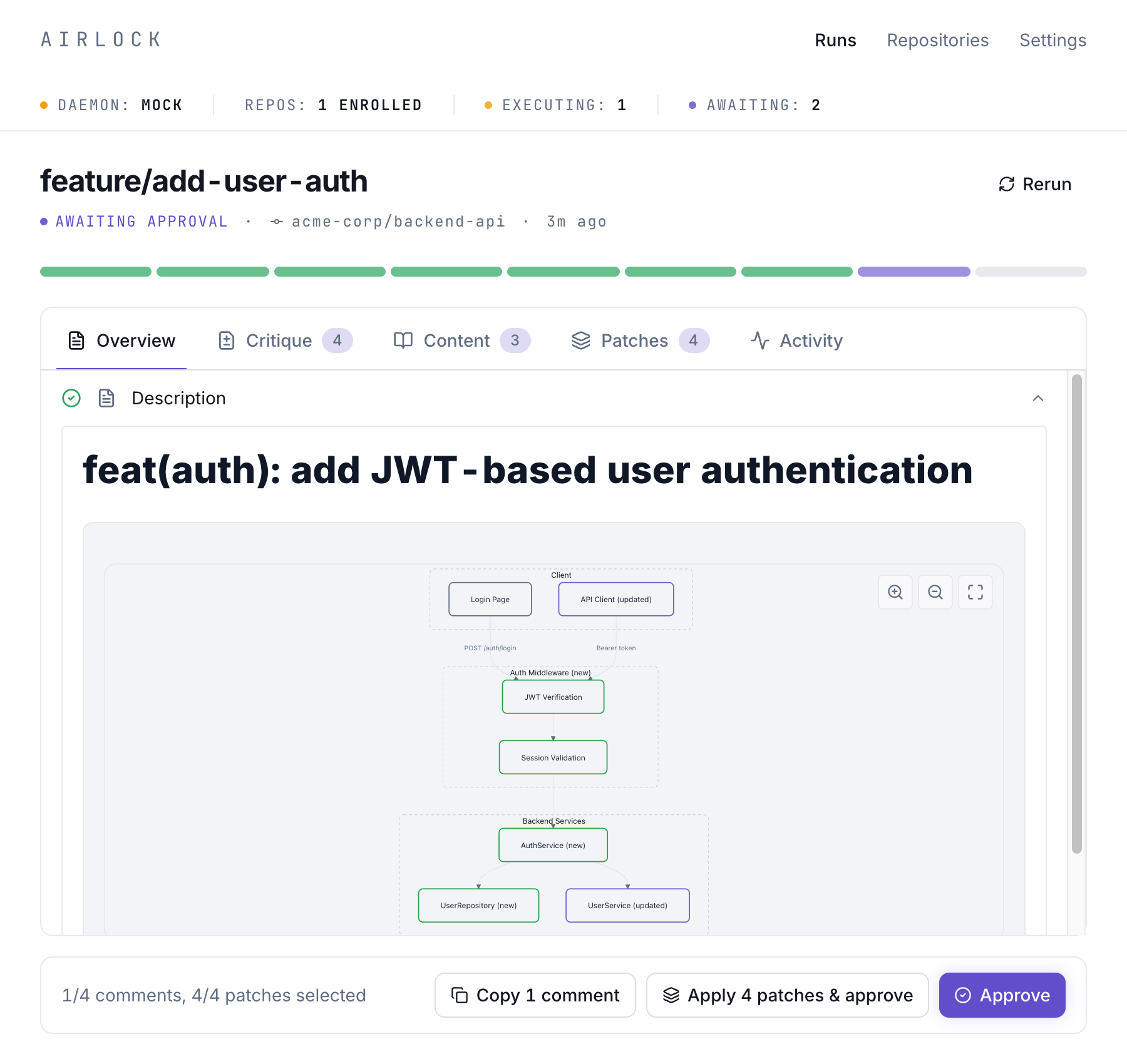
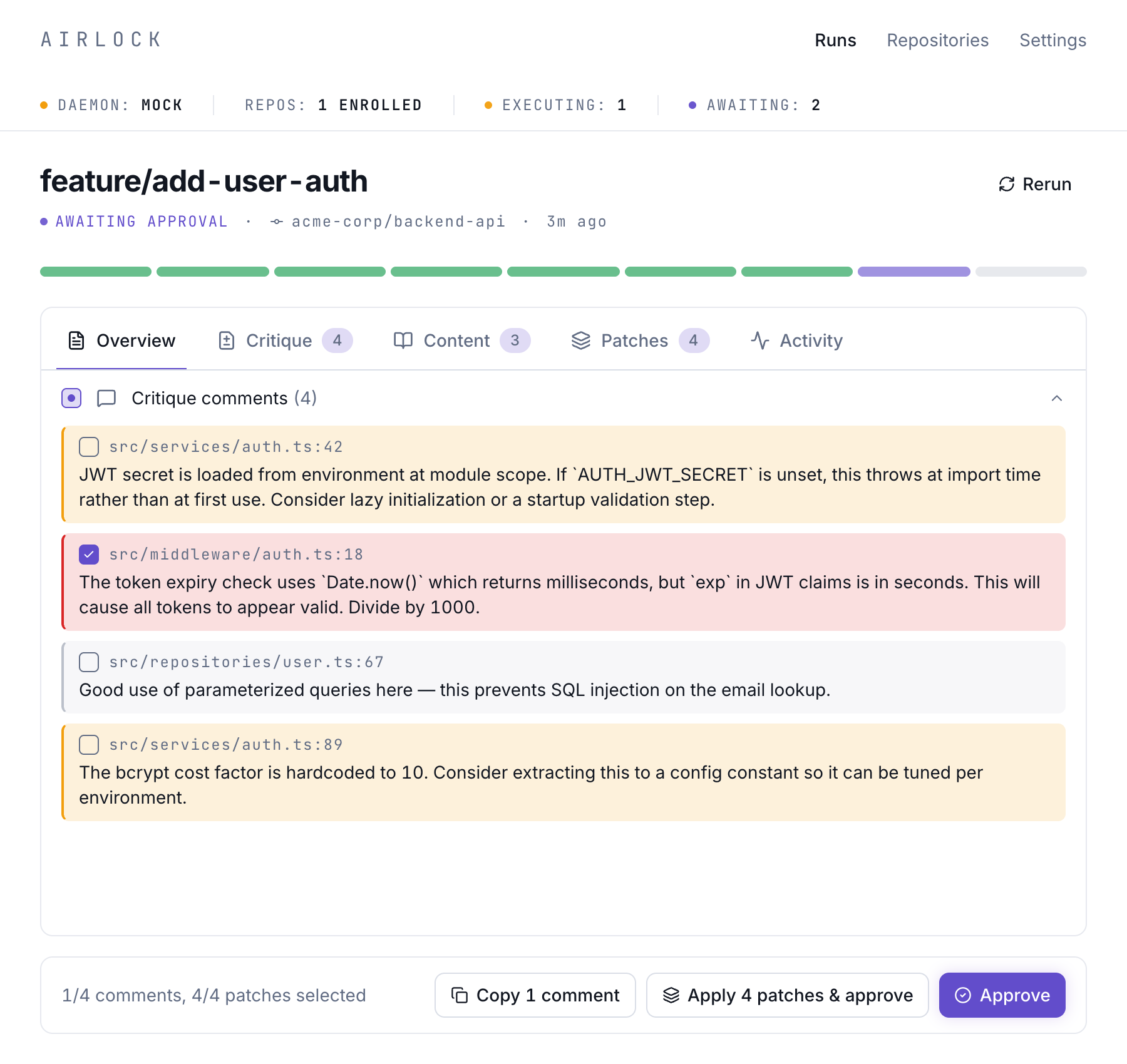
The desktop app is a Tauri application that provides a UI for reviewing Push Requests. Each Push Request has four tabs:
- Overview — PR summary, walk-through, test results and so on
- Changes — Full diff view with inline AI-generated review comments
- Patches — Auto-fix patches from pre-freeze steps (linters, formatters) that you can accept or reject
- Activity — Real-time log of workflow step execution
Here's the Overview tab showing a generated description with an architecture diagram, rebase results, and test results:
The app also surfaces inline code review comments in the Critique tab, flagging security issues, best practice violations, and positive patterns:
The CLI
The airlock CLI is used for:
- Setup:
airlock init,airlock eject - Inspection:
airlock status,airlock runs,airlock show <id> - Control:
airlock cancel <id> - Daemon management:
airlock daemon start/stop/restart/status - Diagnostics:
airlock doctor,airlock nuke
See the CLI Reference for the complete command list.