Push Requests
The unit of review in Airlock — lifecycle, contents, and how to manage them.
A Push Request is created every time you push to a gate repo. It's the unit of review in Airlock — similar to a pull request, but it exists locally and is resolved before code reaches the remote.
Lifecycle
A Push Request moves through these states:
- Created — Push received by the gate repo
- Running — Workflow is executing (lint, test, describe, etc.)
- Awaiting Approval — Workflow completed, waiting for human review
- Approved — You approved it; code is pushed to the
bypass-airlockremote and a PR is created - Canceled — You canceled it; nothing is pushed
If a workflow step fails, the Push Request stops at Running with an error. You can inspect the failure in the Activity tab and either cancel the Push Request or retry the failed job. Retrying resets the failed job and all its downstream dependents back to Pending and re-executes from that point.
What a Push Request Contains
Each Push Request collects artifacts produced by workflow steps:
- Content — Auto-generated PR summary, walk-through, test results and so on
- Code review comments — Inline comments on specific files and lines
- Patches — Suggested fixes
Desktop App Tabs
The desktop app shows each Push Request with four tabs:
| Tab | Contents |
|---|---|
| Overview | Generated title, description, branch info, overall status |
| Changes | Full diff with inline AI-generated review comments |
| Patches | Suggested fixes you can accept or reject individually |
| Activity | Real-time step execution log with timing and output |
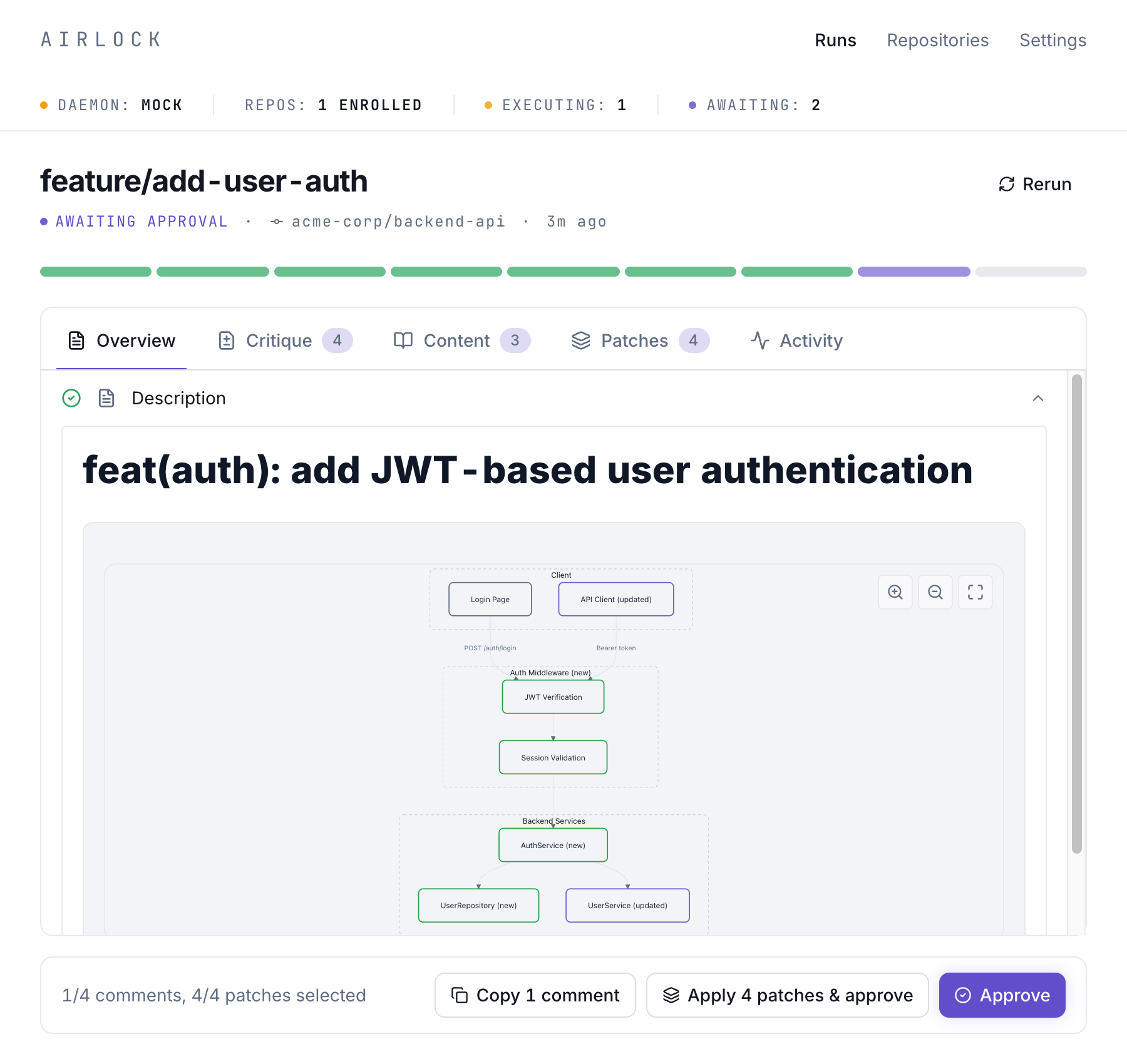
The Overview tab shows a generated description along with content artifacts like architecture diagrams, rebase results, and test summaries:
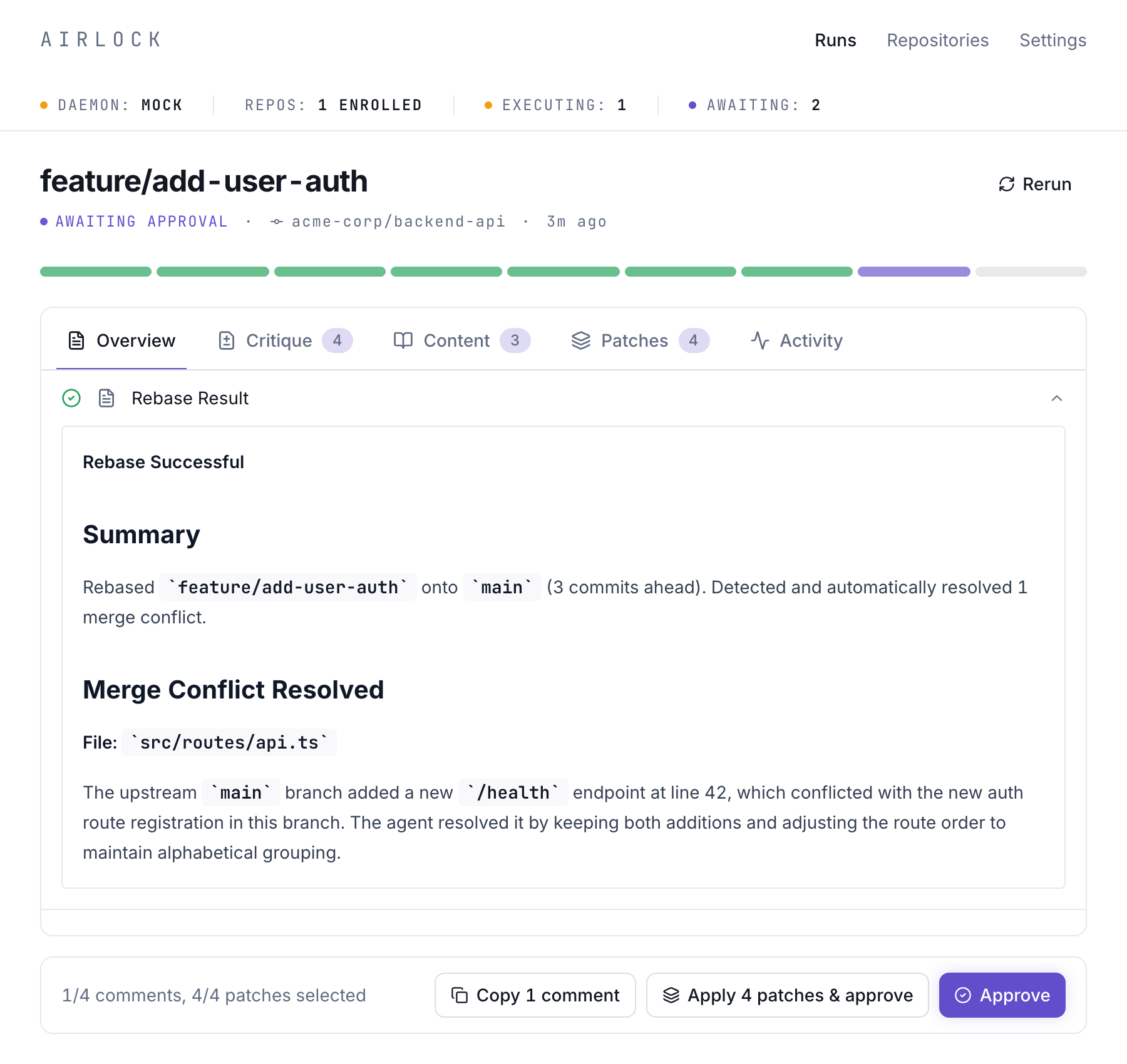
Rebase results include automatic merge conflict resolution:
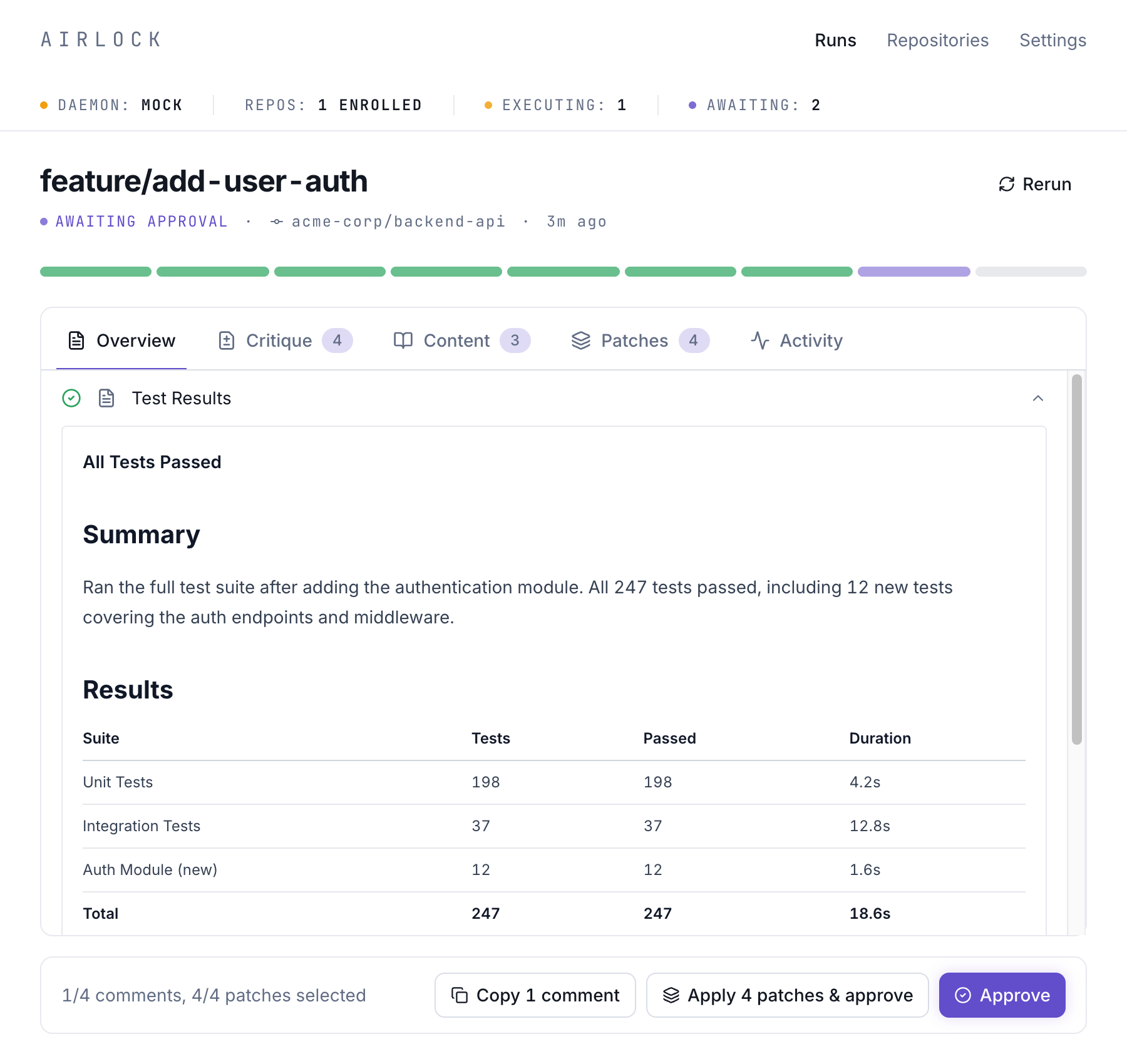
Test results are presented in a clear summary with per-suite breakdowns:
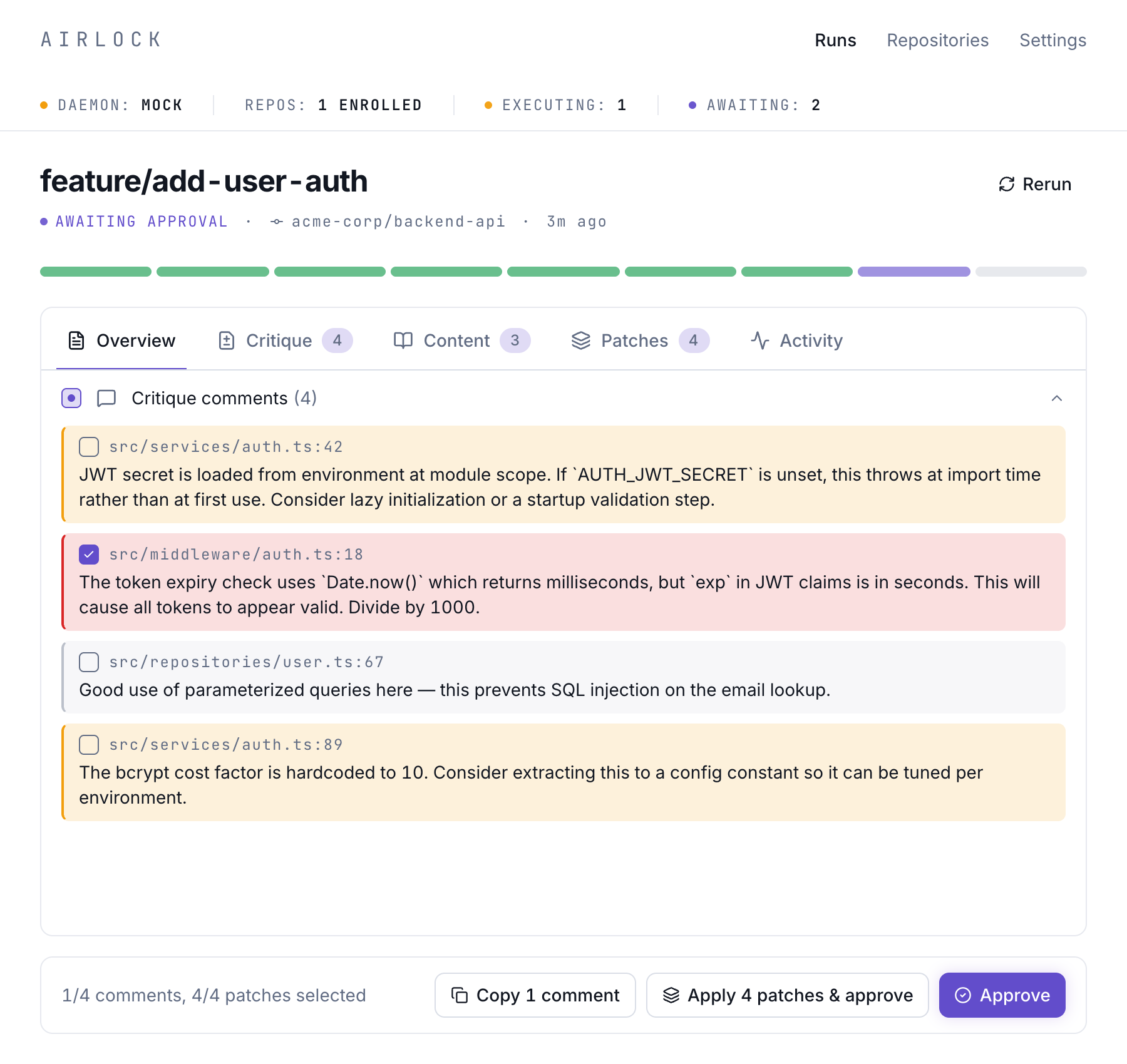
The Critique tab surfaces inline code review comments with severity levels — from critical security issues to positive reinforcement:
CLI Commands
You can list, inspect, and cancel Push Requests from the terminal with airlock runs, airlock show, and airlock cancel.