Getting Started
Install Airlock and run your first push in under five minutes.
Prerequisites
- macOS (Apple Silicon or Intel)
- Homebrew installed
- A Git repository with an
originremote pointing to GitHub, GitLab, Bitbucket, or any Git host
Installation & First Push
Install Airlock
brew install --cask airlock-hq/airlock/airlockThis installs three components: the airlock CLI, the background daemon airlockd, and the desktop app.
Initialize your repository
cd your-project
airlock init
This rewires your Git remotes. Your original origin is renamed to bypass-airlock, and origin now points to a local gate repository managed by Airlock. Your day-to-day Git workflow doesn't change — you still push to origin.
Push a branch
git push origin my-featureThe daemon intercepts the push, creates a Push Request, and runs the default workflow: rebase, critique, test, then pauses at the review gate for your approval before describing, documenting, linting, and pushing.
Review in the desktop app
Open the Airlock desktop app. Your Push Request appears with four tabs:
- Overview — Summary, status, and generated PR title/description
- Changes — Full diff with inline review comments
- Patches — Additional changes suggested
- Activity — Step-by-step workflow log
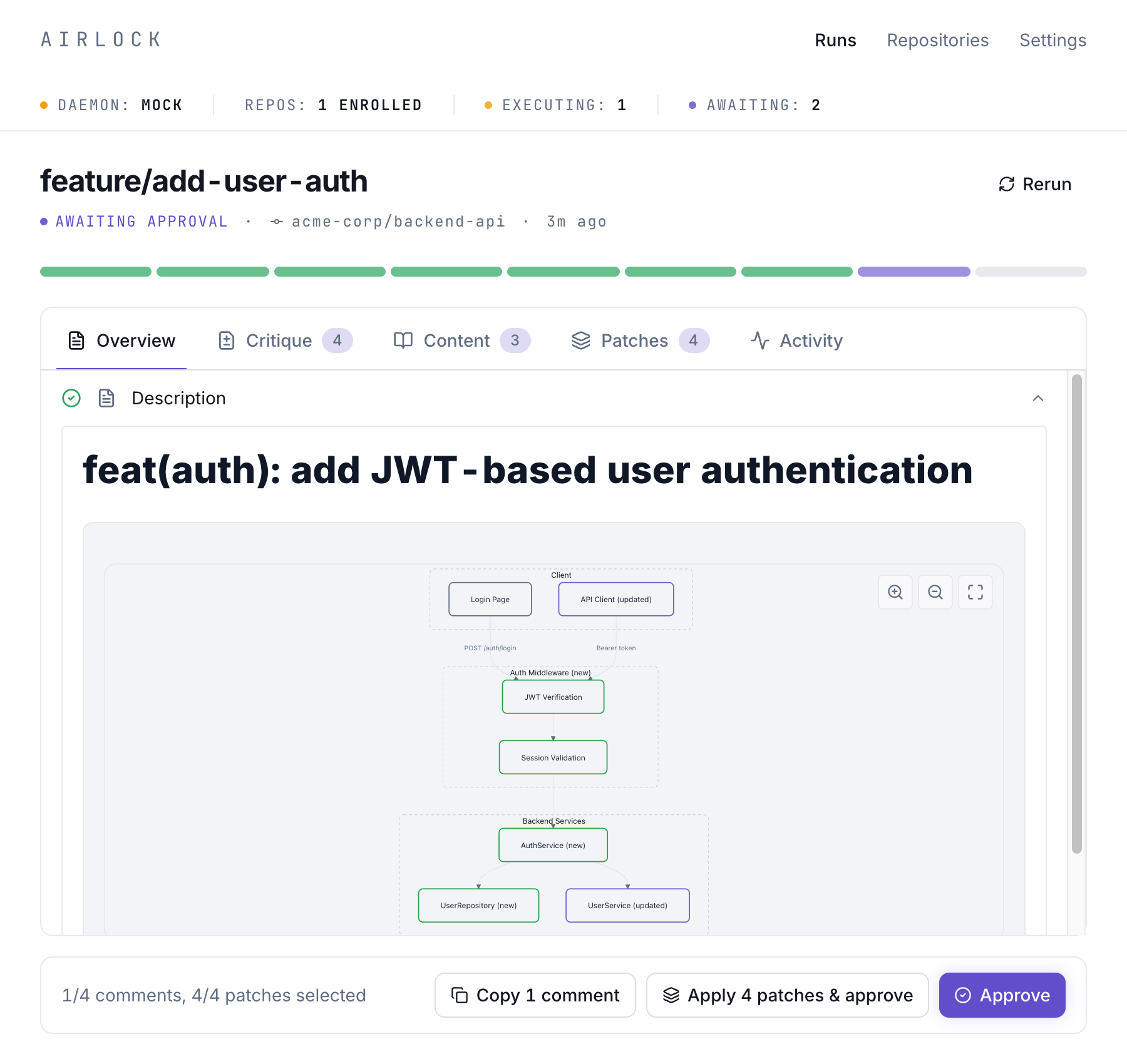
The Critique tab highlights issues found during review, from security concerns to code quality suggestions:
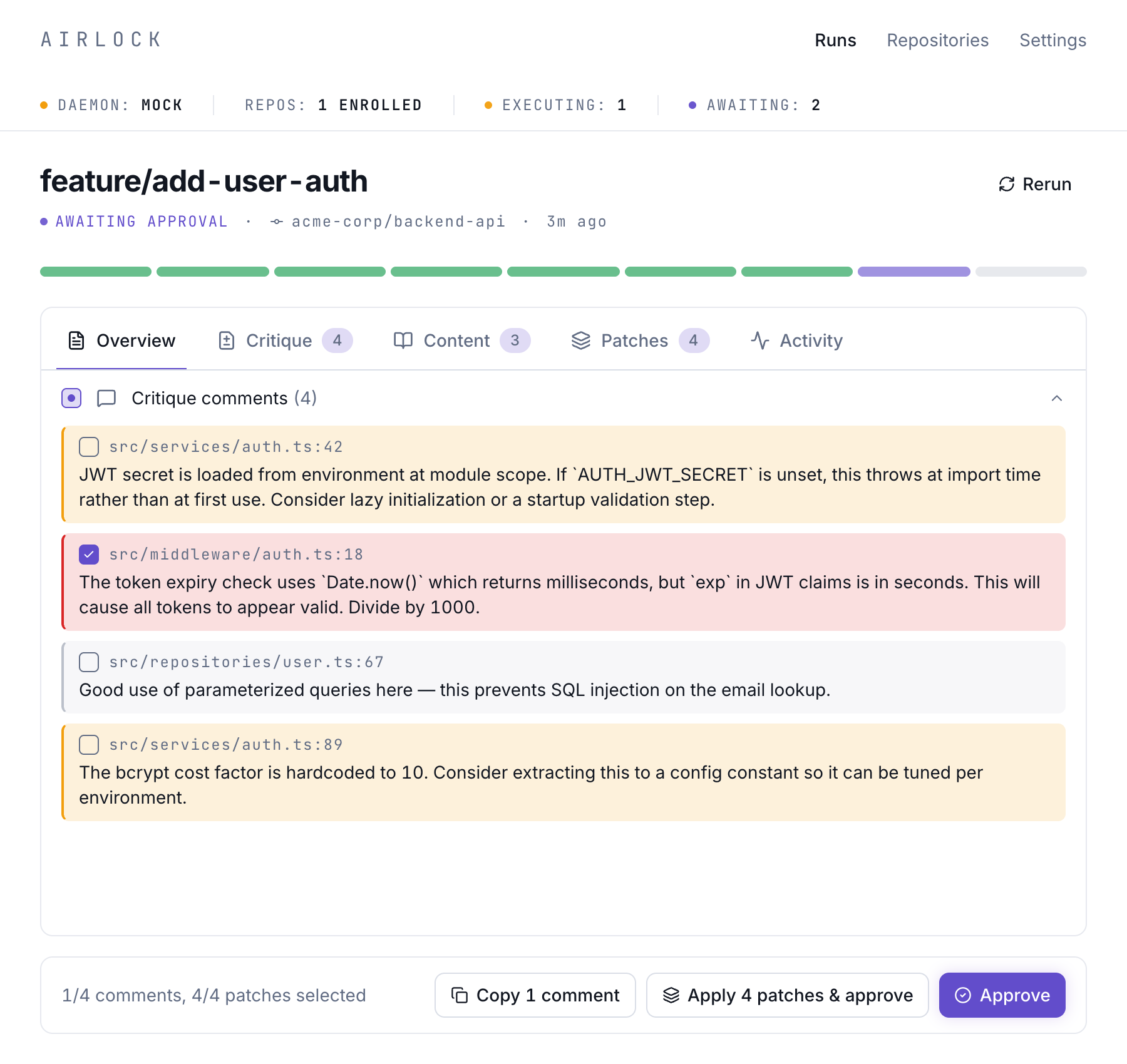
Approve
Click Approve in the desktop app. Airlock pushes your code to the bypass-airlock remote and creates a pull request automatically.
Escape Hatch
Need to bypass Airlock? Push directly to the original remote:
git fetch bypass-airlock
git push bypass-airlock main
This skips the gate repo and pushes straight to the original remote.
What's Next?
- How It Works — Understand the architecture behind the scenes
- Push Requests — Learn about the Push Request lifecycle
- Workflows — Customize what runs on each push